How to Manage Multiple Businesses in One CRM
Learn how to manage leads, sales teams, pipelines, and payments for multiple businesses in one CRM without mixing customer data.
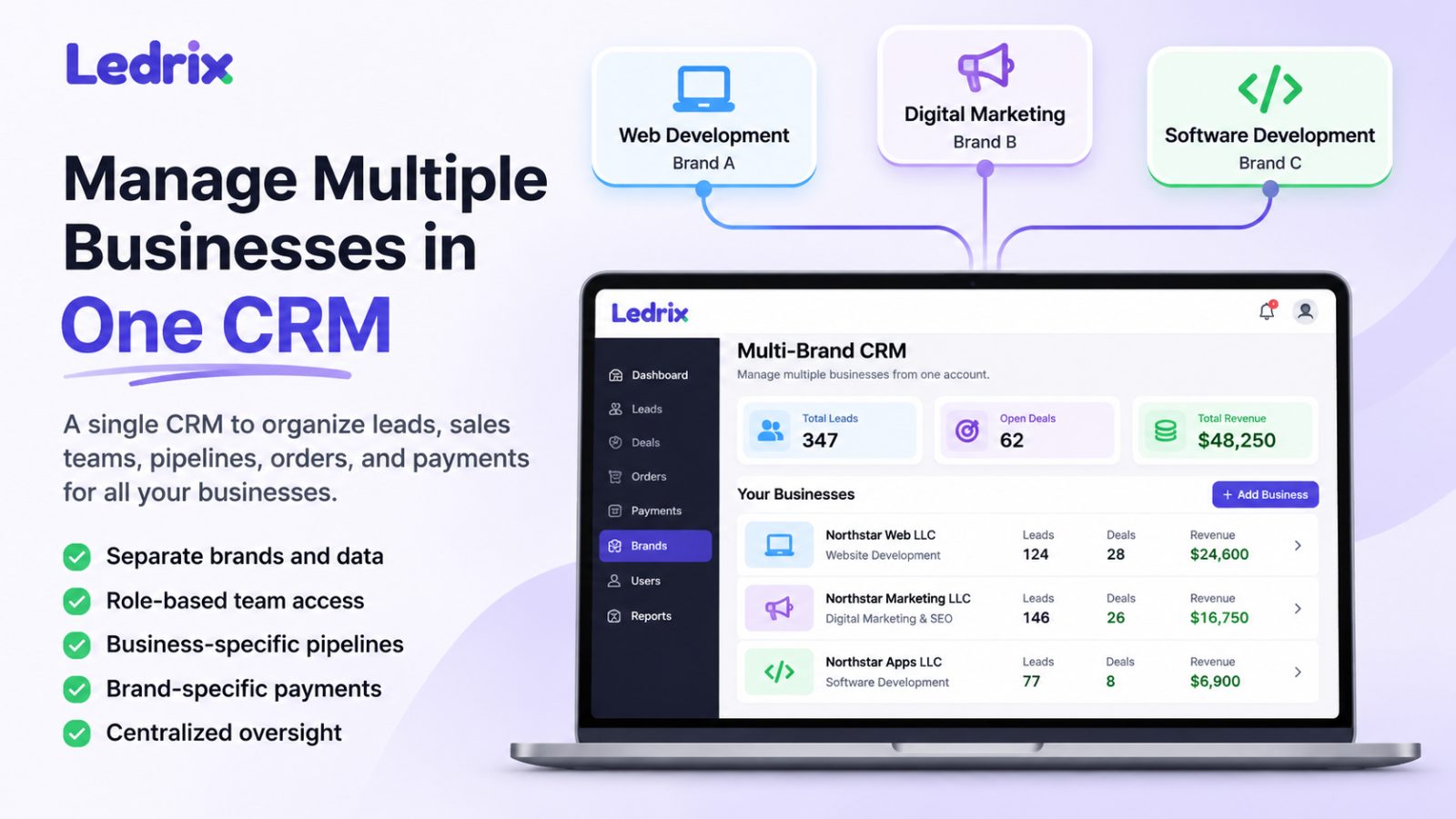
Managing one business's leads and sales pipeline can be straightforward. Managing three businesses, each with different customers, salespeople, services, and payment accounts, is a different challenge.
For digital agencies, sales organizations, and entrepreneurs operating multiple LLCs or client brands, switching between separate CRM accounts can create unnecessary work. But placing everything in a single pipeline without proper separation can create even bigger problems.
A CRM for multiple businesses should help you manage several business operations from one workspace while keeping the right leads, teams, and payment records associated with the right company.
In this guide, we'll explain how multi-business CRM management works, what features to look for, and how agencies can organize multiple brands without losing visibility or control.
What Is a CRM for Multiple Businesses?
A CRM for multiple businesses is a customer relationship management system that supports more than one business, company, or brand within an organized environment.
Instead of treating every customer and salesperson as part of one undifferentiated business, a multi-business CRM can provide separate operational structures for each company.
For example, an agency might manage:
-
Business A: Website design and development
-
Business B: SEO and digital marketing
-
Business C: Software development and technical support
Each business may have its own customers, sales representatives, services, and payment arrangements.
The agency owner still needs an overview of the operation, but individual salespeople should only access the records they are authorized to manage.
This is where a multi-brand CRM becomes useful.
Why Managing Multiple Businesses Gets Complicated
When an agency grows beyond one business or client brand, several challenges commonly appear.
1. Customer Data Gets Mixed Together
Without a clear business structure, leads from different companies may end up in the same list.
This makes it harder to identify which company owns a lead, which salesperson should handle it, and which service was requested.
It can also create confidentiality problems if team members access information outside their responsibilities.
2. Sales Teams Need Different Permissions
A salesperson working for one business may not need access to another business's leads.
For example, a website development closer should not automatically see the customer pipeline for a separate marketing company.
A suitable CRM should support permissions that reflect actual team responsibilities.
3. Reporting Becomes Confusing
If every lead and deal appears in one combined report, business owners may struggle to answer basic questions:
-
Which business generated the most leads?
-
Which sales team closed the most deals?
-
Which brand has the most untouched leads?
-
How many orders belong to each company?
Business-level reporting helps owners make more informed decisions.
4. Payments Must Be Associated With the Correct Business
Different LLCs or brands may use different payment accounts.
A payment request for Business A should not accidentally use Business B's merchant account.
A CRM that connects orders and payment workflows to the correct business can reduce these operational mistakes.
Separate CRM Accounts vs. One Multi-Business CRM
There are two common approaches to managing multiple businesses.
Option 1: Separate CRM Accounts for Every Business
Each company operates independently in its own CRM account.
Advantages:
-
Clear separation between companies
-
Independent configurations
-
Straightforward access boundaries
Disadvantages:
-
Owners may need to switch accounts frequently
-
Reporting across businesses can be harder
-
Team management may be duplicated
-
Processes can become inconsistent
Option 2: One CRM With Multiple Business Workspaces
Several companies are organized within one CRM environment, with business-specific records and permissions.
Advantages:
-
One place to manage multiple operations
-
Easier navigation between authorized brands
-
Consistent lead and order workflows
-
Centralized oversight for agency administrators
Considerations:
-
Permissions must be configured correctly
-
Each record must remain associated with the right business
-
Payment accounts must be selected carefully
-
Plan limits and available features should be reviewed
Neither approach is automatically better for every organization. The right choice depends on how independently the businesses operate and what level of centralized management they need.
How to Organize Multiple Businesses in One CRM
Consider a hypothetical agency operating three businesses:
-
Northstar Web LLC — website development
-
Northstar Marketing LLC — digital marketing services
-
Northstar Apps LLC — software development
These are fictional businesses used to demonstrate a workflow, not real Ledrix customer case studies.
Step 1: Create a Clear Business Structure
Start by identifying which business owns each customer relationship.
For every business, define:
-
Company or brand name
-
Services offered
-
Sales team responsibilities
-
Lead sources
-
Payment configuration
-
Administrative ownership
This structure should be established before importing large numbers of leads.
Step 2: Assign Leads to the Correct Business
Every incoming lead should be associated with the appropriate company.
For example:
A prospect requesting a website belongs to Northstar Web LLC.
A prospect requesting SEO services belongs to Northstar Marketing LLC.
This separation makes it easier to route leads, manage follow-ups, and review business-specific activity.
Step 3: Restrict Salesperson Access
Access permissions are especially important when several businesses share one CRM.
A salesperson should generally see only the leads, orders, and activities they are permitted to work with.
Agency administrators may need broader visibility to manage operations.
Role-based access control helps support these distinctions, but it must be configured and enforced correctly.
Step 4: Define the Sales Workflow
A typical agency lead workflow might look like this:
New Lead → Assigned → Contacted → Qualified → Proposal → Won or Lost
The exact stages should match the company's actual sales process.
Different businesses may use different services and follow-up procedures, even if they share a similar overall pipeline.
Step 5: Keep Orders and Payments Linked to the Correct Company
Once a prospect accepts a proposal, the business may create an order and request payment.
For agencies using multiple payment accounts, it is important to associate the payment request with the correct business.
For example:
-
Northstar Web LLC uses its designated Stripe account.
-
Northstar Marketing LLC uses its designated PayPal account.
-
Northstar Apps LLC uses its own approved merchant configuration.
The objective is to avoid mixing payment requests between separate business operations.
Step 6: Monitor Activity and Follow-Ups
A CRM is useful only when sales activity is recorded consistently.
Review:
-
Newly assigned leads
-
Leads awaiting first contact
-
Upcoming follow-ups
-
Overdue tasks
-
Deals won and lost
-
Orders and payment status
A clear activity process helps managers identify which leads need attention.
What Features Should You Look for in a Multi-Business CRM?
Before choosing a CRM for several companies, evaluate these capabilities.
Multiple Business or Brand Support
Can you create and manage more than one business within your subscription?
Check whether the number of supported brands depends on the pricing plan.
Lead Ownership and Separation
Can you identify which business owns every lead?
Can users be restricted from viewing leads outside their responsibilities?
Role-Based Permissions
Can administrators define different access levels for salespeople, closers, managers, and other team members?
Order and Payment Management
Can orders and payment requests be associated with the correct business?
If multiple payment processors or merchant accounts are supported, how does the system prevent account mix-ups?
Lead Import
Can existing leads be imported from spreadsheets?
Check supported formats, required fields, validation, and how imported leads are assigned to businesses.
Reporting
Can managers understand performance by company, team, or salesperson?
Make sure the available reports match the decisions your business needs to make.
Client Access
If clients need to review orders or services, check whether the CRM offers a client-facing portal and what branding options are available.
How Ledrix Supports Multi-Brand Agency Workflows
Ledrix is a CRM designed for agencies managing leads, sales teams, client brands, orders, and payment workflows.
Its multi-brand approach helps agencies organize business-specific operations within a shared CRM environment.
Relevant capabilities include:
-
Managing multiple client brands or business entities, subject to plan limits
-
Organizing leads by business
-
Assigning leads to sellers and closers
-
Restricting access through role-based permissions
-
Managing orders and payment links
-
Supporting brand-specific Stripe and PayPal merchant configurations
-
Providing client-facing workflows where supported
Rather than relying on one mixed customer list, agencies can establish a clearer relationship between each business, its leads, and its sales activities.
To explore the product-specific workflow, visit the Ledrix Multi-Brand CRM page.
For an overview of the platform, see Ledrix CRM Features.
Feature availability and brand limits may depend on your subscription plan.
Common Mistakes When Managing Multiple Businesses
Mixing All Leads Into One Unstructured Pipeline
Even when one CRM is used, leads should retain clear ownership and business associations.
Giving Every Seller Administrator Access
Broad access may be convenient initially, but it increases the risk of accidental changes and unnecessary exposure of customer information.
Using the Wrong Payment Account
Businesses operating separate merchant accounts should verify which account is associated with each payment request.
Importing Leads Without Checking Their Ownership
Before importing spreadsheets, review the company association, assigned seller, and required fields.
Ignoring Untouched Leads
A lead that remains uncontacted can represent a missed opportunity.
Establish a process for identifying leads that have not received a meaningful first action.
Frequently Asked Questions
Can I manage multiple LLCs in one CRM?
Yes, some CRM platforms support multiple business entities within one account. The important questions are whether the platform provides appropriate record separation, permissions, reporting, and payment configuration for your needs.
Is a multi-brand CRM the same as a white-label CRM?
No.
A multi-brand CRM helps organize multiple businesses or brands.
A white-label CRM typically refers to replacing or customizing the software's visible branding.
A product may support multi-brand operations without offering complete white-label functionality.
Can different businesses use separate Stripe or PayPal accounts?
Some CRM platforms support multiple merchant configurations. Check whether each payment request can be linked to the appropriate business and merchant account.
Ledrix supports brand-specific Stripe and PayPal payment workflows.
Do I need separate sales teams for each business?
Not necessarily. Some agencies use shared staff across multiple businesses.
What matters is whether access and assignments can be controlled according to each person's responsibilities.
Is a multi-business CRM useful for small agencies?
It can be, especially when an agency manages several brands or LLCs. A single-business agency may not need the added structure.
Final Thoughts
Managing multiple businesses does not have to mean switching constantly between unrelated CRM accounts.
A well-organized multi-business CRM can help agencies maintain clearer lead ownership, assign work to the right sellers, track sales activity, and keep business-specific payment workflows organized.
The most important factors are business separation, permissions, reliable lead management, and accurate order and payment associations.
If your agency manages several companies or client brands, explore Ledrix Multi-Brand CRM to see how the platform is designed to support these workflows.
You can also visit Ledrix Pricing to review available plans and limits.