What Is CRM Software and How Does It Help Your Business?
Learn what CRM software is, how it works, and how businesses use it to organize leads, manage sales teams, track deals and improve customer relationships.
Running a business involves more than finding customers. You need to manage inquiries, follow up with potential buyers, organize sales activities, communicate with customers, and keep track of orders and payments.
When this information is scattered across spreadsheets, emails, messaging apps, and personal notes, important opportunities can easily be missed.
This is where CRM software becomes useful.
A Customer Relationship Management (CRM) system helps businesses organize customer information, manage leads, track sales opportunities, and maintain a more structured sales process.
Whether you operate a small business, manage a growing sales team, or run multiple companies, the right CRM can help you understand your customers and keep your sales operations organized.
In this guide, we'll explain what CRM software is, how it works, which features matter, and how to choose a CRM that fits your business.
What Is CRM Software?
CRM stands for Customer Relationship Management.
CRM software is a digital system that helps businesses manage interactions with existing customers and potential customers throughout the sales process.
Instead of keeping customer information in separate spreadsheets or scattered conversations, a CRM provides an organized place to store and manage relevant business information.
A typical CRM helps you:
-
Store and organize lead information.
-
Track customer inquiries.
-
Assign leads to sales representatives.
-
Manage sales opportunities.
-
Schedule follow-ups.
-
Monitor deals and sales pipelines.
-
Manage orders and related activities.
-
Review sales performance.
The purpose of CRM software is not simply to store contact details. It is to help a business manage the entire customer relationship and sales workflow more consistently.
How Does CRM Software Work?
A CRM organizes customer information and connects it to the activities your business performs.
Consider a simple example.
A potential customer visits your website and submits an inquiry about your service.
Without a CRM, the inquiry might remain in an email inbox or spreadsheet until someone remembers to follow up.
With a CRM, the process can be more structured.
Step 1: Capture a New Lead
A lead is a person or organization that has shown interest in your product or service.
Lead information might include:
-
Name
-
Email address
-
Phone number
-
Requested service
-
Inquiry details
-
Lead source
Depending on the CRM, leads can be entered manually, imported from spreadsheets, or received through connected lead-capture processes.
Step 2: Assign the Lead to a Salesperson
Once a lead enters the system, a manager can assign it to the appropriate salesperson.
For example, a business with three sales representatives can distribute inquiries according to availability, expertise, or responsibility.
Clear lead ownership helps prevent multiple people from contacting the same prospect unnecessarily.
Step 3: Follow Up With the Prospect
Sales representatives can record communication and track the next action.
A follow-up process might include:
-
Initial contact
-
Understanding customer requirements
-
Sharing service information
-
Sending a quotation
-
Scheduling another conversation
A CRM helps keep these activities organized instead of relying entirely on memory.
Step 4: Move the Opportunity Through a Sales Pipeline
A sales pipeline represents the stages a potential customer passes through before making a purchase.
A simple pipeline might look like this:
New Lead → Contacted → Qualified → Proposal Sent → Negotiation → Won or Lost
The business can review opportunities at each stage and identify where follow-up or additional attention is needed.
Step 5: Manage Orders and Payments
When a prospect agrees to purchase, the business may create an order and request payment.
Depending on the CRM's capabilities, this process can connect sales activities with order records and payment workflows.
Keeping these records associated with the correct customer and business makes it easier to understand the progress of each sale.
Why Do Businesses Need CRM Software?
Businesses often adopt CRM systems when their customer inquiries and sales activities become difficult to manage manually.
Here are some common reasons.
1. Better Lead Management
When inquiries arrive through different channels, it becomes difficult to maintain a complete picture of potential customers.
CRM software gives businesses a structured place to organize leads and review their status.
It can also help managers understand which leads are new, assigned, contacted, or awaiting follow-up.
2. More Organized Sales Teams
When several salespeople handle customer inquiries, managers need visibility into lead ownership and sales activity.
A CRM can help teams:
-
Assign leads to representatives.
-
Review individual sales pipelines.
-
Monitor follow-up activity.
-
Track deal progress.
-
Manage access according to responsibilities.
This provides a more organized approach to sales operations.
3. Consistent Customer Follow-Ups
A potential customer may need several conversations before making a purchase.
Without a clear process, follow-ups can be forgotten.
CRM systems help businesses record interactions, track opportunities, and organize upcoming actions.
4. Clearer Sales Pipeline Visibility
A sales pipeline helps managers understand what is happening with potential deals.
For example, a business may have:
-
25 new leads
-
15 contacted prospects
-
8 qualified opportunities
-
5 proposals awaiting responses
These figures are illustrative. The actual numbers depend on the business.
The important point is that a CRM makes sales opportunities easier to review and manage.
5. Organized Orders and Payment Activities
For businesses that sell services or products, the sales process does not end when a prospect agrees to buy.
Orders need to be recorded, payment requests may need to be sent, and payment status must be reviewed.
A CRM with order and payment functionality can connect these activities to the customer relationship.
What Features Should Good CRM Software Have?
Not every business needs the same CRM features. However, several capabilities are useful for many organizations.
Lead Management
The CRM should allow you to create, view, update, assign, and organize leads.
Check whether it supports your lead sources and existing data formats.
Sales Pipeline Management
Look for a clear way to track opportunities through different sales stages.
The pipeline should reflect how your business actually sells.
Lead Assignment
If multiple people handle inquiries, the CRM should support assigning leads to specific sales representatives.
Follow-Up and Activity Tracking
The system should help representatives record customer interactions and identify opportunities requiring attention.
Role-Based Access
Business owners, managers, salespeople, and closers may have different responsibilities.
A suitable CRM should offer permission controls that match those responsibilities.
Reporting and Performance Monitoring
Look for reports that help you understand:
-
Lead volume
-
Sales activity
-
Pipeline progress
-
Won and lost deals
-
Seller performance
-
Orders and payment status
Order and Payment Management
If your business sends payment requests, consider a CRM that connects customer records, orders, and payment workflows.
Check which payment providers and payment methods are actually supported.
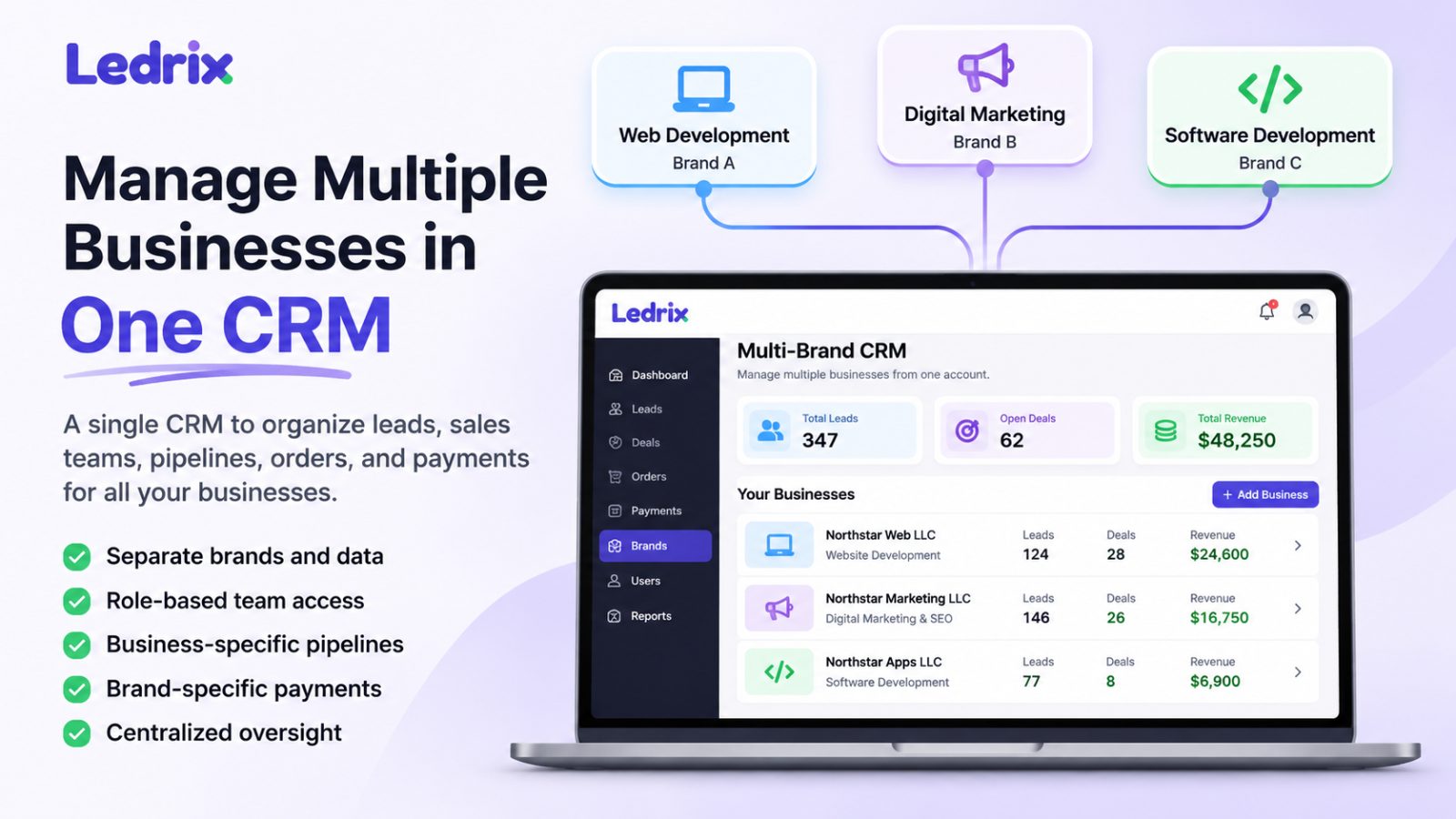
Multiple Business or Brand Support
Some business owners operate more than one company or LLC.
If that applies to you, check whether the CRM can organize separate business records, leads, sales teams, and payment configurations.
This capability is useful even if you currently operate only one business and expect to expand later.
What Types of Businesses Can Use CRM Software?
CRM software is not limited to large enterprises or digital agencies.
Different businesses can use CRM systems to organize their own customer relationships and sales operations.
Small Businesses
Small businesses can use a CRM to organize inquiries, manage customer information, assign sales tasks, and track opportunities.
For a small team, even a simple CRM can be more structured than managing everything through spreadsheets.
Service-Based Businesses
Businesses offering services such as web development, consulting, marketing, design, or professional services can use CRM software to manage inquiries and follow-up activities.
A sales pipeline helps them understand which prospects are interested, which proposals are pending, and which deals have been completed.
Sales Teams
Organizations with dedicated sales representatives can use CRM software to distribute leads, monitor opportunities, and review team activity.
Managers can gain visibility without relying entirely on individual spreadsheets or informal updates.
Agencies
Agencies often manage several services, brands, or business operations.
A CRM can help organize leads, sales teams, orders, and business-specific activities.
Businesses Operating Multiple Companies
An entrepreneur may operate several LLCs or brands.
A multi-business CRM can help organize these operations within a shared management environment, provided it supports appropriate business-level separation and permissions.
Spreadsheet vs. CRM Software: Which Is Better?
Spreadsheets can be useful for simple customer lists and small operations.
However, as sales activities grow, spreadsheets may become difficult to maintain.
Capability Spreadsheet CRM software Store customer information Yes Yes Assign leads to sellers Manual Supported by suitable CRMs Track sales stages Manual Dedicated pipelines Record follow-ups Manual Activity and task workflows Control user permissions Limited Role-based options Review sales performance Manual reports CRM reporting Connect orders and payments Requires separate setup Available in some CRMsA spreadsheet may be sufficient for a business with very few customers and a simple sales process.
A CRM becomes more useful when several people handle leads, opportunities require follow-ups, or management needs a clearer view of sales activity.
How to Choose the Right CRM for Your Business
Before subscribing to a CRM, consider the way your business operates.
Understand Your Sales Process
Identify how inquiries enter your business, who handles them, and what happens before a customer makes a purchase.
Choose software that supports that workflow instead of forcing your team into an unsuitable process.
Consider Your Team Size
A solo business owner may need basic lead tracking.
A growing team may require lead assignment, permission controls, reporting, and more structured pipelines.
Check Subscription Limits
Review the number of users, businesses, brands, leads, and other limits included in each plan.
Do not assume every CRM offers unlimited access or identical features across subscriptions.
Check Payment Integrations
If payment collection is important, confirm which processors and merchant configurations the CRM supports.
Also verify whether the integrations are available in your country and compatible with your business accounts.
Evaluate Ease of Use
Your team needs to use the CRM consistently.
A complicated system can create more work instead of improving the sales process.
Look for a clear interface and workflows that make sense to your representatives.
Try the Actual Workflow
Before committing to a subscription, test the complete process:
-
Create a business profile.
-
Add or import a lead.
-
Assign the lead to a salesperson.
-
Move the opportunity through the pipeline.
-
Create an order.
-
Test the available payment workflow.
This is more useful than choosing a CRM based only on a feature checklist.
How Ledrix Helps Businesses Manage Sales
Ledrix is a CRM designed to help businesses and sales teams organize leads, manage pipelines, assign sellers, track orders, and handle payment workflows.
It is suitable for businesses operating a single company as well as organizations managing multiple brands or LLCs.
Depending on the subscription plan and enabled functionality, Ledrix provides capabilities such as:
-
Lead creation and management
-
Lead imports
-
Seller and closer assignments
-
Sales pipeline management
-
Role-based permissions
-
Order management
-
Stripe and PayPal payment links
-
Business-specific merchant configurations
-
Multi-brand management
-
Client-facing portal workflows
-
Sales reporting
You can start by organizing the sales operations of one business and explore multi-brand management as your organization grows.
Explore Ledrix CRM features to understand the available tools.
If you manage multiple companies or brands, visit the Ledrix Multi-Brand CRM page.
You can also review Ledrix pricing plans to compare available features and subscription limits.
Frequently Asked Questions About CRM Software
What does CRM stand for?
CRM stands for Customer Relationship Management. It refers to the processes and software businesses use to organize customer information, manage interactions, and maintain sales relationships.
What is CRM software used for?
CRM software is used to manage leads, customer information, sales opportunities, follow-ups, sales pipelines, and related business activities.
Depending on the platform, it may also support orders, payment links, reporting, and customer portals.
Is CRM software suitable for small businesses?
Yes. Small businesses can use CRM software to organize leads, manage follow-ups, and track sales opportunities. The right solution should match the business's size, workflow, and budget.
Can one business use CRM software without multiple companies?
Yes. A CRM can be useful for a single business with one owner, one salesperson, or a larger sales team. Multiple-business support is an additional capability, not a requirement for using CRM software.
Can a CRM assign leads to different salespeople?
Many CRM platforms support lead assignment. This helps businesses identify who is responsible for contacting and managing each prospect.
Is CRM software the same as an ERP system?
No. CRM software focuses primarily on customer relationships, leads, and sales processes. ERP systems generally cover broader business operations such as finance, inventory, procurement, and other enterprise processes. Some platforms offer overlapping capabilities, but the terms are not interchangeable.
Can CRM software manage sales pipelines and payments?
Some CRM platforms combine sales pipeline management with order and payment workflows. Always check the specific payment integrations and features included in the software.
Should I use a spreadsheet or CRM?
A spreadsheet can work for a small and simple customer list. A CRM is generally more suitable when you need structured lead ownership, follow-ups, sales stages, team access, and reporting.
Final Thoughts
Managing customers and sales opportunities becomes more challenging as a business grows.
A CRM helps bring customer information, lead ownership, sales activities, and pipeline progress into a more organized system.
You do not need to operate multiple companies or have a large sales department to benefit from CRM software. Even a single business can use it to manage inquiries, follow up with prospects, and understand its sales process.
The best CRM is one that supports your current operations and gives you room to grow.
If you want to organize your leads, sales team, pipelines, orders, and payments in one workspace, explore Ledrix CRM.